URL shorteners are easy to ignore. You might realize your link was automatically shortened when posting on a social networking site, but you go about your day because it looks good.
What many don’t realize, however, is that there is quite a bit of information that goes into URL shorteners. You actually have a choice about which shortener to use and when (and this choice makes a difference).
There are many different shortener options, and all come with different features. Depending on the URL shortener your business decides to use, you might have a dashboard that helps you schedule posts or track the success of different posts. This then brings about a list of inevitable questions: How many different URL shorteners are there, what is the best one, how do I get started and what can I gain?
What is a URL Shortener and Why Does it Matter?
For those who are unfamiliar, a URL shortener is something used to make a long URL shorter in length while still sending those who click to the same/correct page. A URL shortener is typically a URL shortening service, which is why there are so many different options. Consider the below screenshot.

The full URL would have been:
http://www.searchenginejournal.com/accepting-seo-guest-articles-blog-dont-lose-blogs-vision/75729/?utm_source=twitter&utm_medium=social&utm_campaign=short
As opposed to what you see above, the shortened version is a simple: sejr.nl/176OVyy
If you didn’t realize there was this much to know about URL shorteners, don’t sweat it. Many small businesses are still using the shorteners automatically happening to their links. While this is certainly OK, taking a little time to choose the right shortener is better because of the tracking features offered (more on this in the next few sections).
A Few Popular URL Shortener Questions
Below are a few general but popular questions about URL shorteners:
1. So are shorteners just used for Twitter?
Because Twitter has the 140-character limit and puts a focus on sharing links, this is the network where you’re going to see shorteners the most. However, almost all other social networks — Facebook, Google+, StumbleUpon, etc. — will also use URL shorteners or allow you to manually choose and use a shortened URL.
2. So what happens when a URL isn’t automatically shortened?
For most URL shorteners that automatically occur on social networks, only URLs 19 characters and greater will be shortened. This can vary slightly depending on the shortener you are using. You can also choose to shorten a URL that is only 10 characters long, for example, if you’re using your own shortener. However, automatic shortening only works for 19 characters or longer.
5 Popular URL Shorteners and How They Work
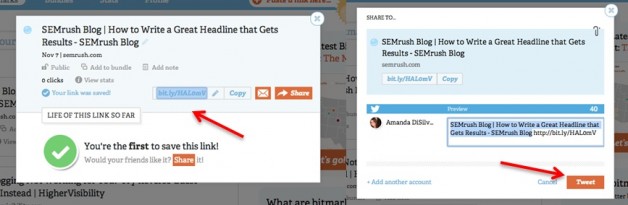
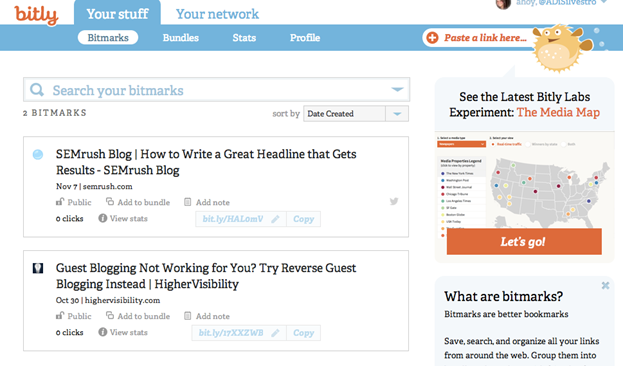
- bit.ly. Arguably the most popular URL shortener, this URL shortening service offers tracking metrics so you know exactly how many people are clicking on your link. When you sign up for a free account, you can actually share links right there on your dashboard and then see the data that goes along with each share.
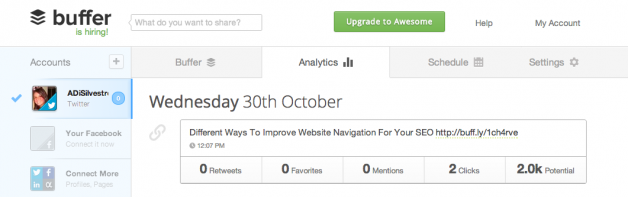
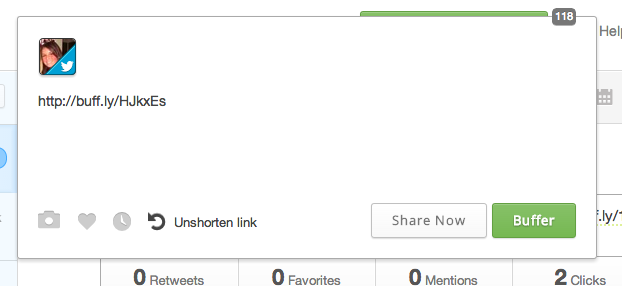
- buff.ly. This is a shortener you might see for those who use Buffer. It is another service that gives you a dashboard and allows you to share links right there from their site, and then see real-time analytics. Furthermore, you can create a schedule so you can do all of your social sharing at once without having everything go live at once. Due to the ease of Buffer (it’s not part of Twitter), this is quickly moving up in the ranks of the most popular.
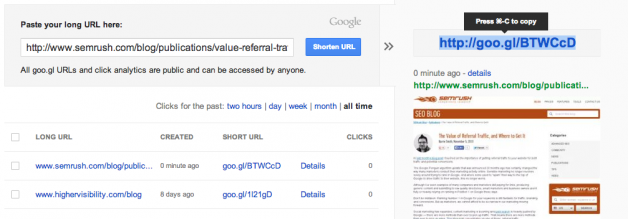
- goo.gl. This is the official Google shortener. It doesn’t require you to create a dashboard but does offer data regarding how many times your link was clicked. You just check back whenever you wish and your information will be waiting (so it does work similarly to a dashboard). The screenshot below helps show how it’s slightly different:
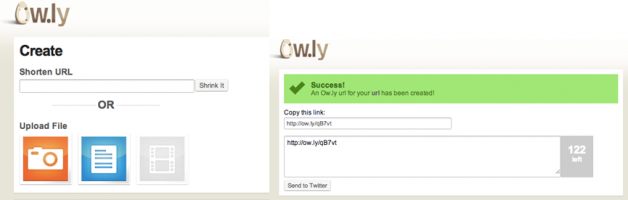
- ow.ly. A shortner that is growing in popularity, ow.ly is something you will see if someone is using Hootsuite. It offers real-time analytics, sharing functionality and will give you advice about the best time to post a link. You can also upload photos to this shortener and turn them into shortened links. It’s considered one of the best shortening services available today.
- t.co. This is Twitter’s shortening service, so you’re typically only going to see this shortener when you’re using Twitter. Nonetheless, this service is neither private nor public, which essentially means anyone with a t.co link will be able to view the content. This is slowly declining in popularity, but it’s still Twitter’s service, so it’s certainly worth a mention. Again, there isn’t anything you need to do, so no screenshot needed here!
Other Less Popular URL Shorteners
In many cases, large companies and news organizations have their own personal URL shorteners. For example, if you share something from The Huffington Post, you will see “huff.to” as your shortener. Mashable is “on.mash.to,” Eloqua is “elq.to,” and the list goes on and on.
Other URL shorteners include awe.sm, cli.gs, dlvr.it, mvb.me, Tinyurl, adf.ly and IS.gd. Visit Mashable for a more complete list. You can also create your own URL shortener for your company, which you can learn more about here.
Do you have any extra tips about a shortener we didn’t cover? Let us know your thoughts in the comments below.