What Is the Google Local Pack?
The Google local pack is a featured result in Google search that appears when a user makes a location-based search.
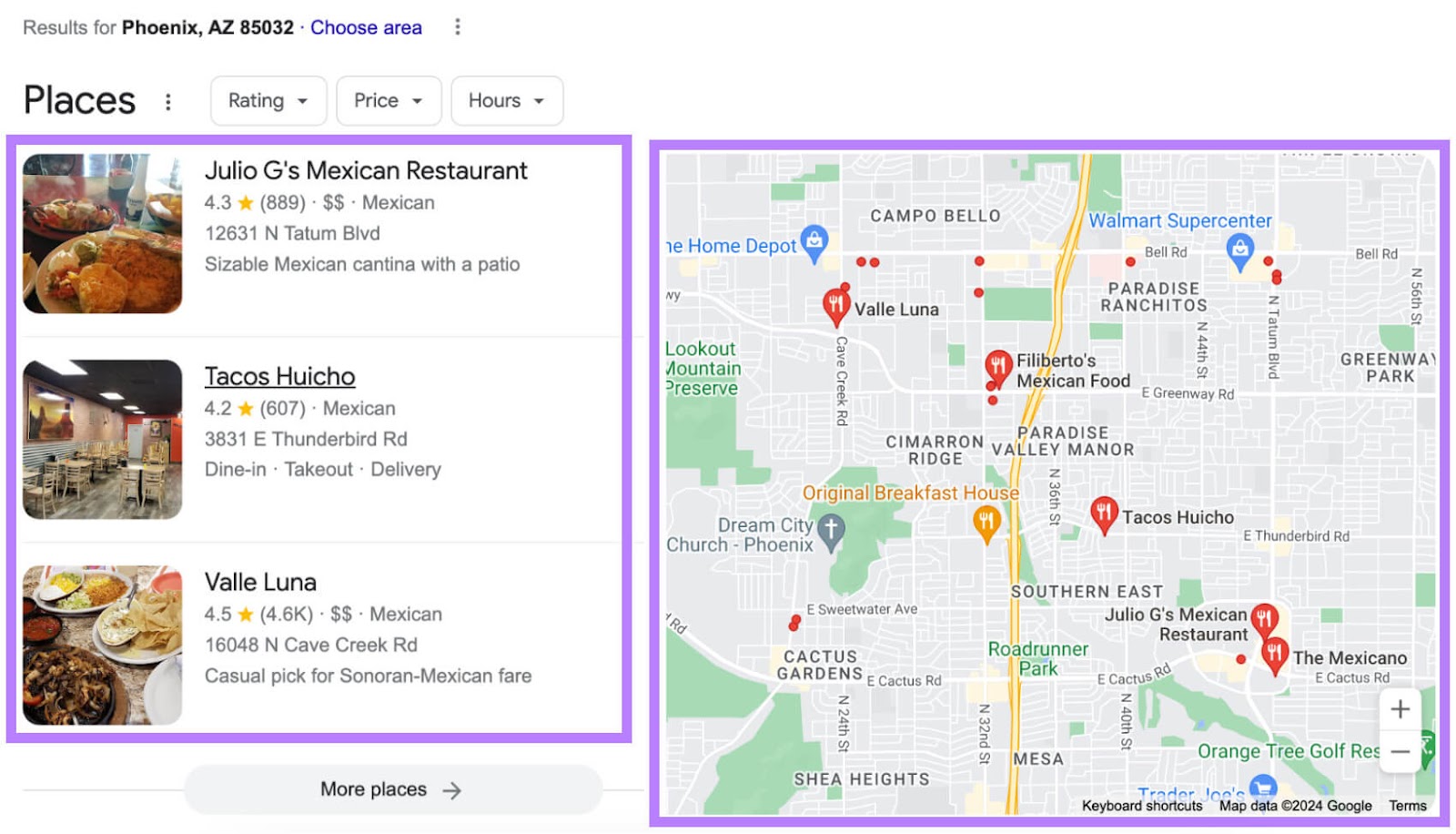
Typically, Google’s local pack shows a map of business locations and three prominent business listings. Along with essential details for each business like the name, address, phone number, and customer ratings.
How Does the Google Local Pack Work?
The local pack shows a map and nearby business listings that are most likely to meet a user’s needs. So, it adjusts based on the user’s search query and location.
Let’s say a user based in Raleigh, North Carolina is craving tacos but doesn’t know of any restaurants where they can get some.
They probably pull out their phone and Google “tacos near me” or “tacos in raleigh.”
At the top of the search engine results page (SERP), they’ll likely see a Google local pack that looks like this:
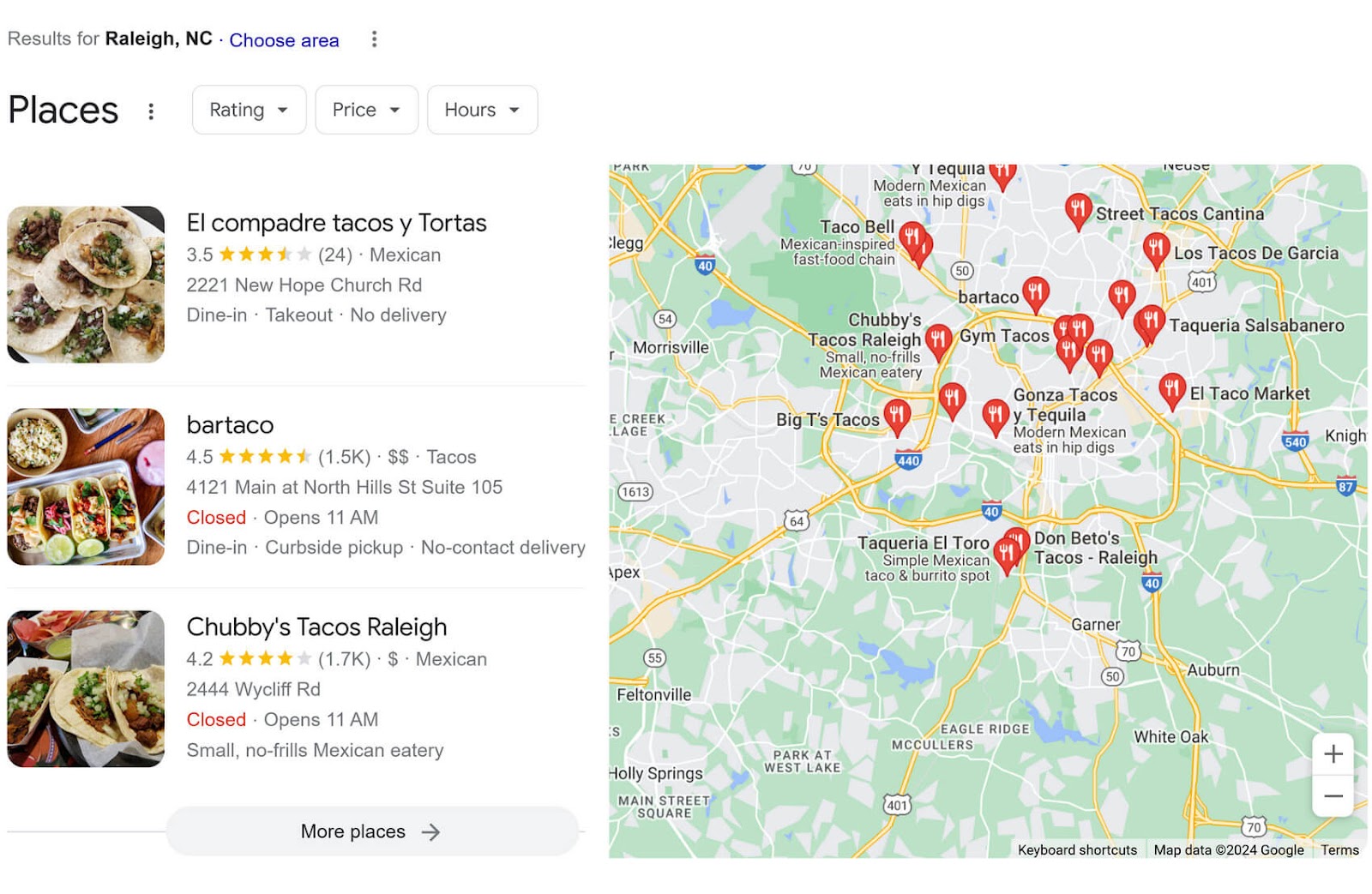
In addition to the map and business results, there’s also a “More places” link that expands the list of businesses. And filters for sorting by rating, price, and hours.
If they change their search terms, the results can also change. See this example of the search “tacos in north hills raleigh”:
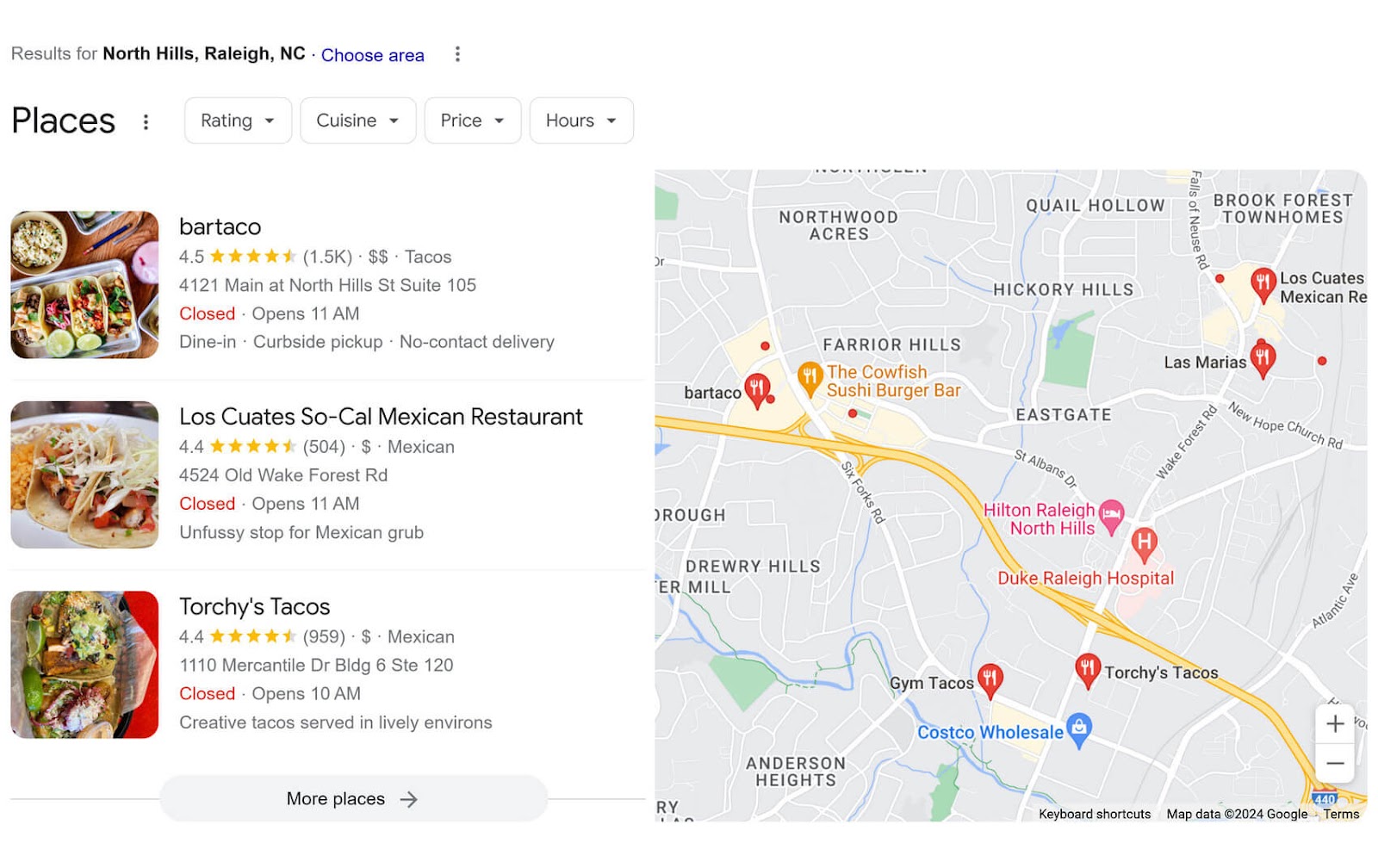
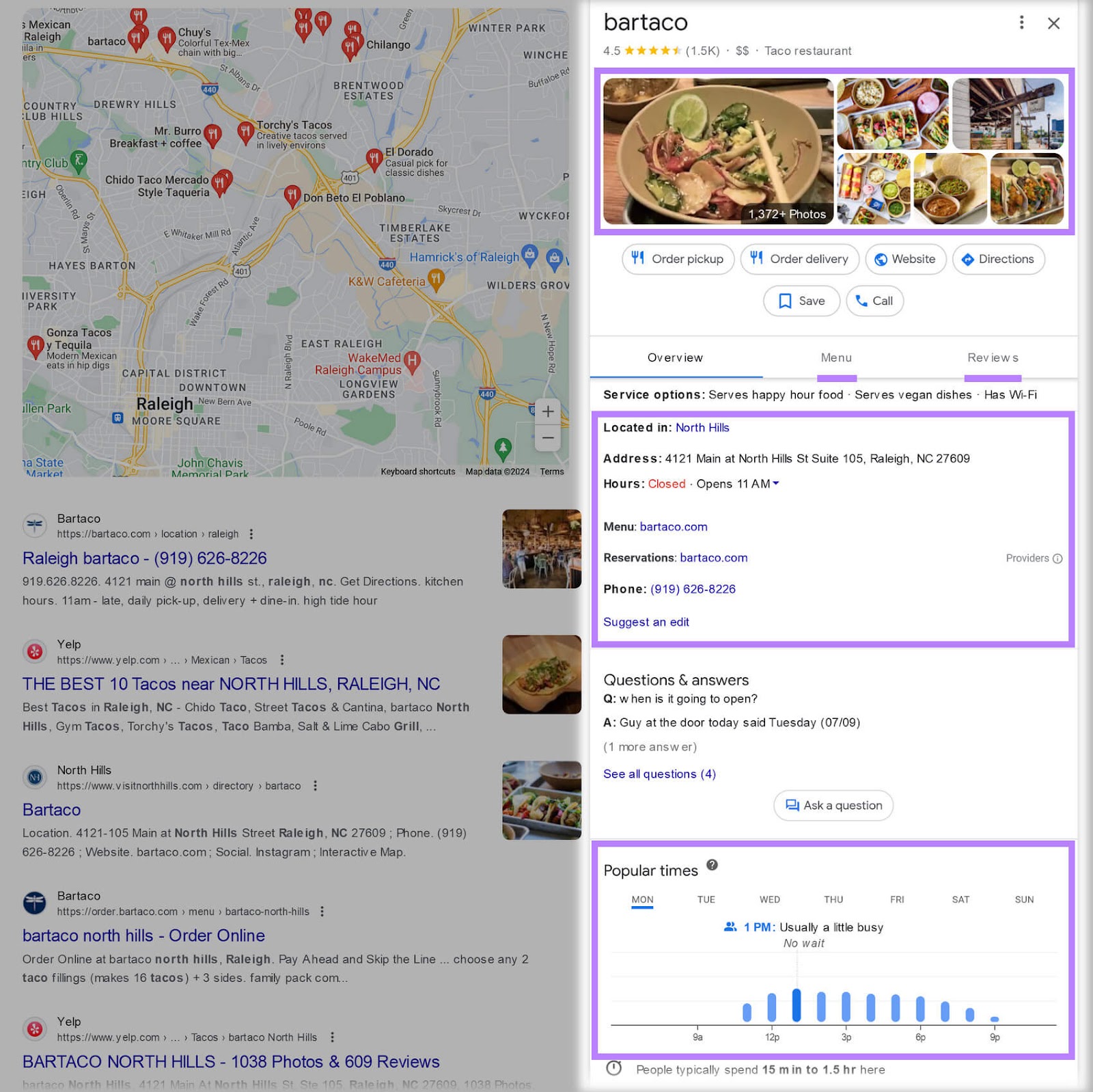
While some details about the featured businesses are already visible (like rating, number of reviews, and hours), a user can see even more information when they click on one of the results.
This includes the following:
- Pictures
- Menu or services offered
- Website
- Contact information
- Address
- Popular times
- Reviews
Now, think of how likely that user is to go to one of the first businesses shown in the Google local pack. Probably pretty likely.
This is why the Google local pack is such a valuable resource for businesses and consumers alike.
Why Is the Google Local Pack Important for Local Businesses?
There are many reasons why the local pack is so effective for businesses.
Here are a few of the big ones:
Increases Online Visibility
The Google local pack takes up a lot of space in the SERP. It’s hard to ignore.
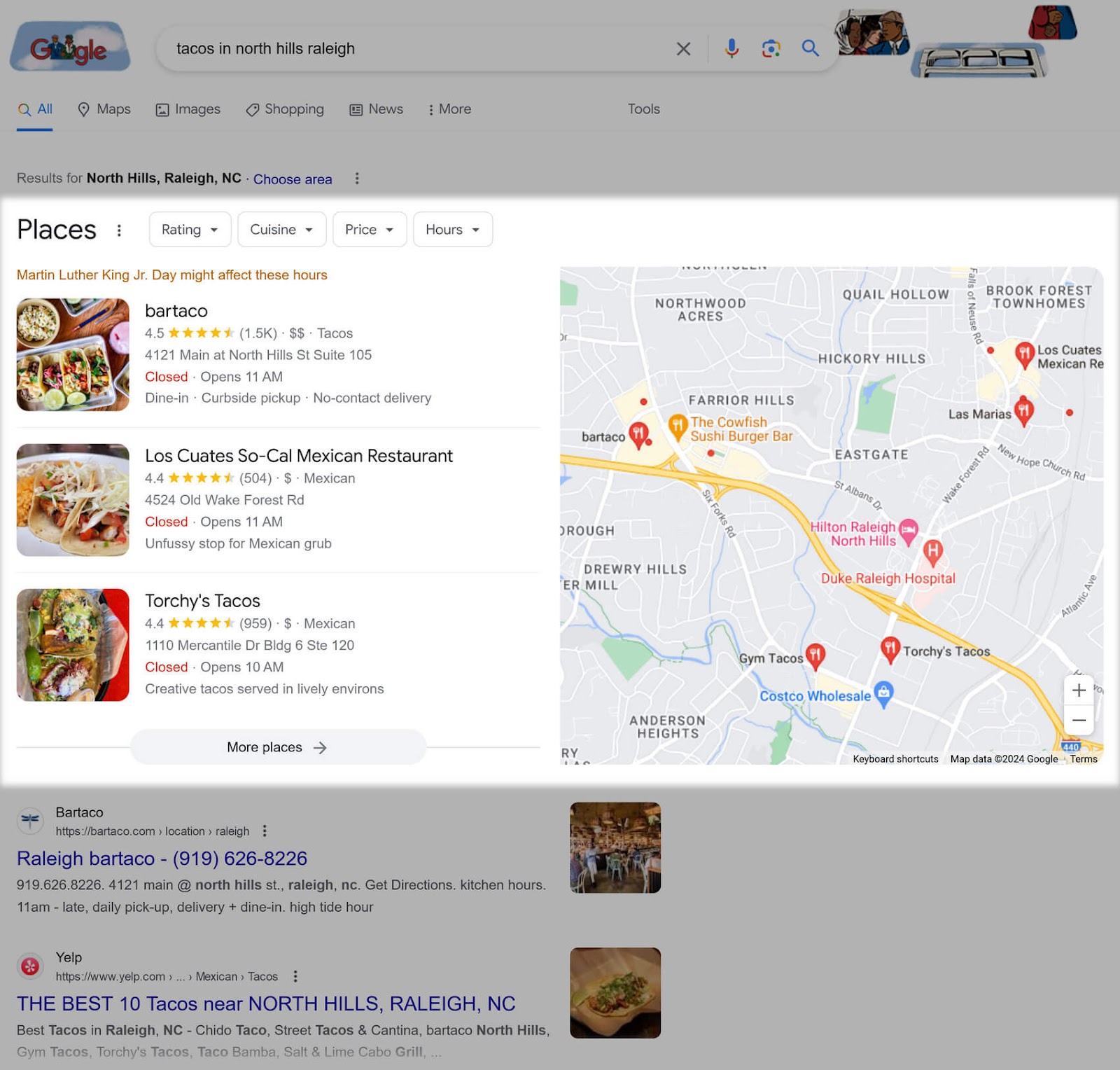
From a user’s perspective, why scroll down to the next result when everything you need is right there?
This means businesses can get more eyes on them just by appearing in the local pack.
Provides a Good User Experience
Users can quickly see what they want to know about a business (hours, price range, rating, etc.) with just a glance at the local pack. Without needing to click to another page.
This cements the feature’s position as a go-to resource for users with local search intent.
Encourages Users to Take Action
The local pack includes calls to action (CTAs) with options for ordering online, scheduling an appointment, calling the business, and more.

This encourages the user to take the next step in their buying journey with minimal effort. And that can easily drive real results for businesses.
Attracts Foot Traffic
Appearing in the local pack helps businesses attract more customers to their physical locations.
Why?
Because local searches are usually performed by people who are based locally or traveling to that area. Meaning they’re eager to find businesses they plan to stop by.
A ReviewTrackers’ Local SEO report found that 42% of millennials who perform a local search will visit the business most of the time.
Builds Credibility
Consumers look for specific trust signals when making a buying decision. These include a business’s photos, Google SERP position, and user reviews.
The Google local pack heavily features user ratings and reviews.
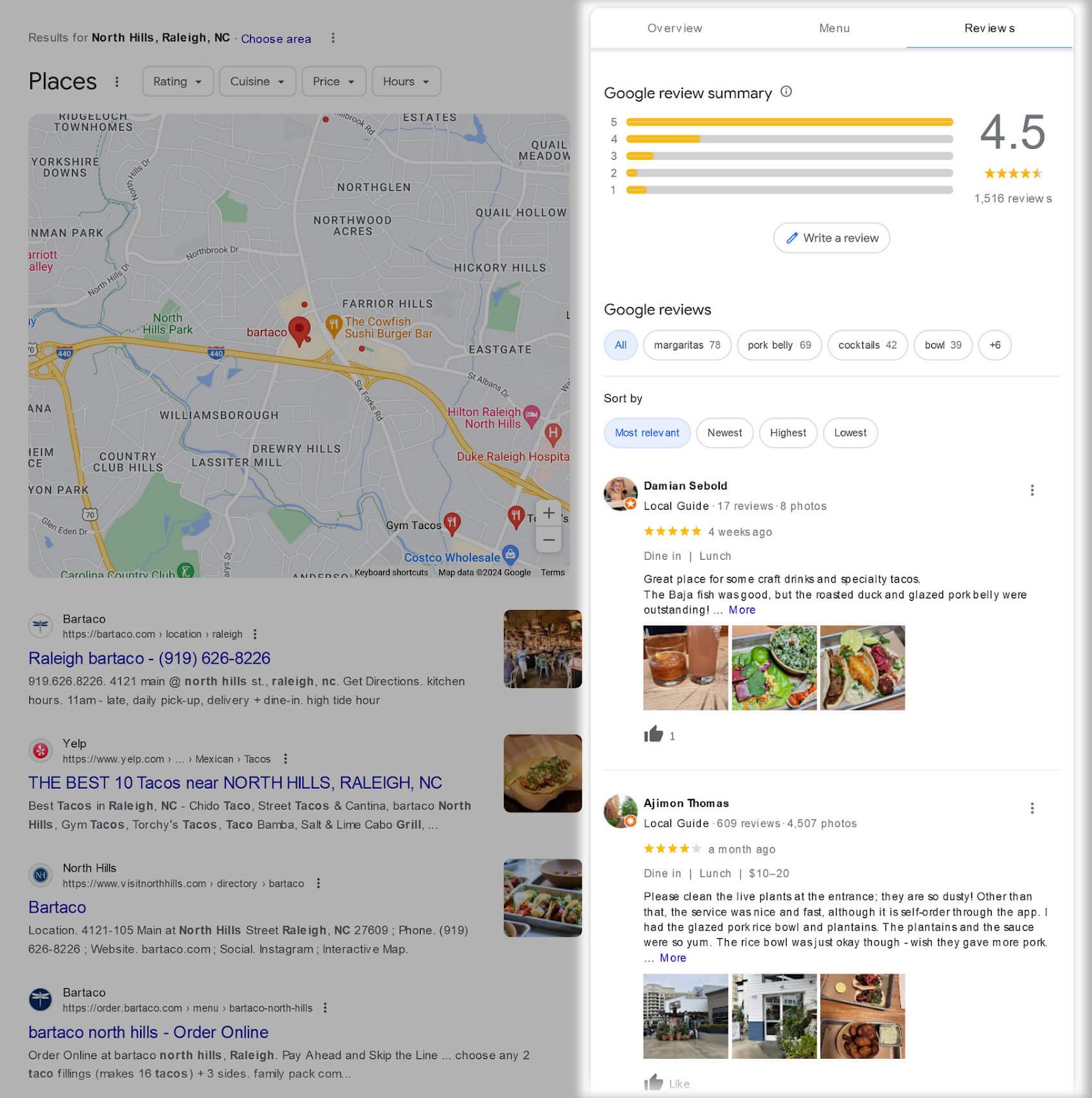
If users clearly see that you have high ratings and positive remarks in the SERP, they’re more likely to give you their business.
How to Appear on Google’s Local Pack
Now you know how important the Google local pack is for your business. But how do you secure one of those spots?
First, know that the Google local pack algorithm is different from Google’s other search algorithms.
It emphasizes:
- Relevance: How closely your Google Business Profile matches a searcher’s query. Meaning whether you provide the product or service that Google believes the user is searching for.
- Distance: How far away your business is from where Google believes the user is located or from where the user’s target location is
- Prominence: How important Google perceives your business to be in relation to the user
Let’s go over some of the primary ways to address these factors.
Create Your Google Business Profile
Google Business Profile (formerly known as Google My Business) is Google’s business listing manager. And you need to be verified here to show up in the Google local pack and Google Maps.
First, claim your Google Business Profile or create a new one.
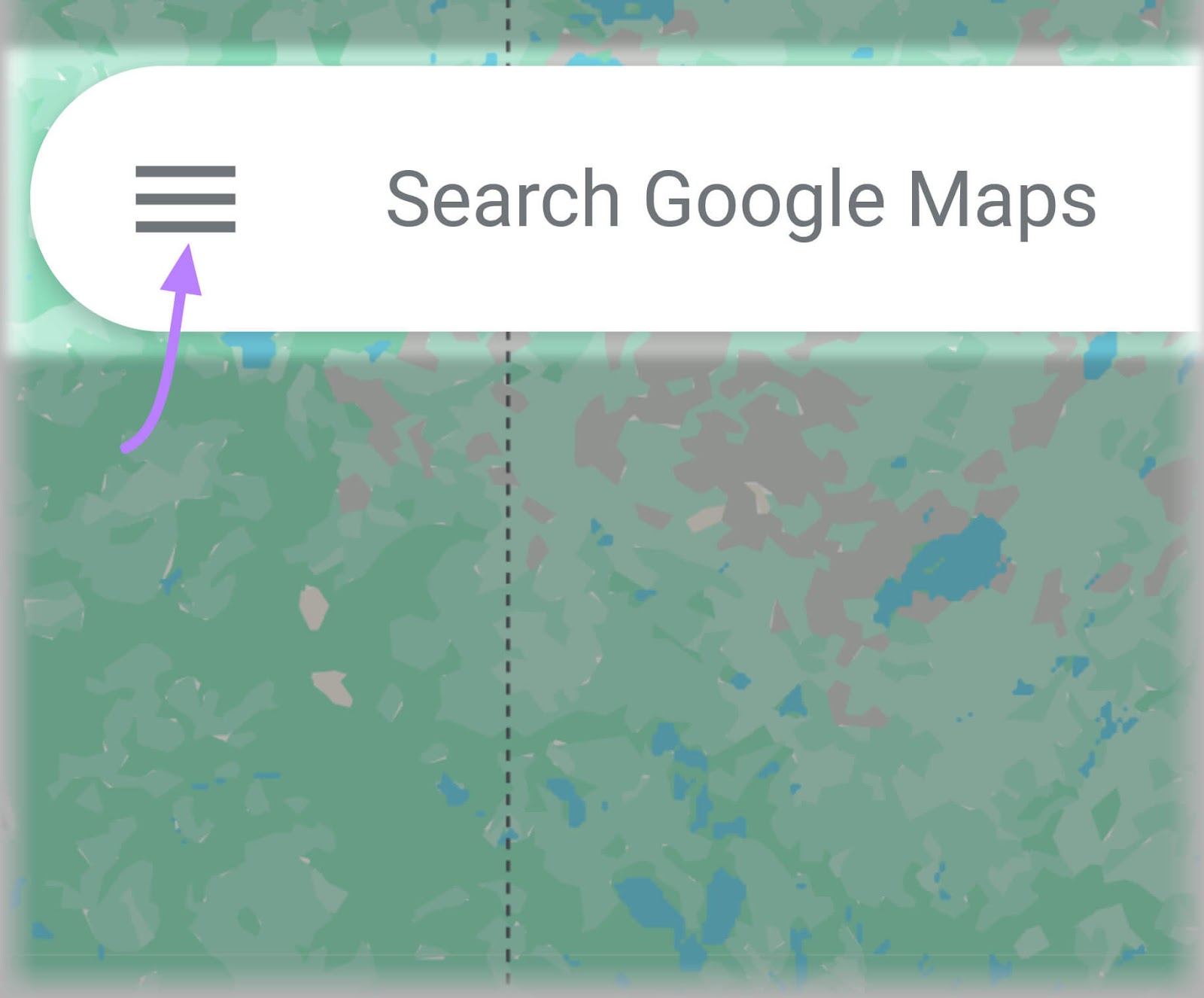
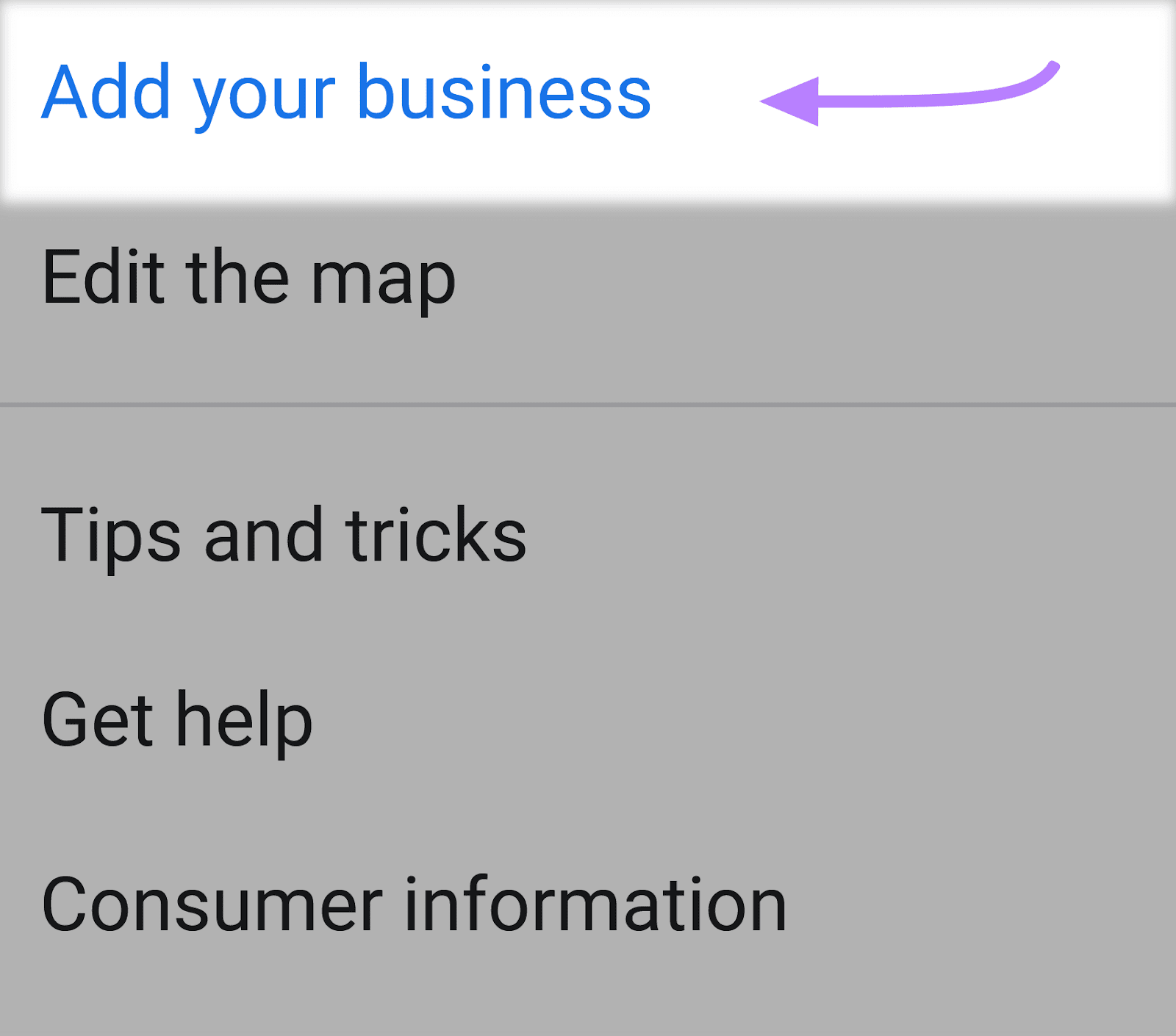
You can create a profile by going to Google Maps and clicking on the menu icon to the left of the search field.
Click on “Add your business.”
You’ll be taken to a new browser window where you can start filling out your business details.
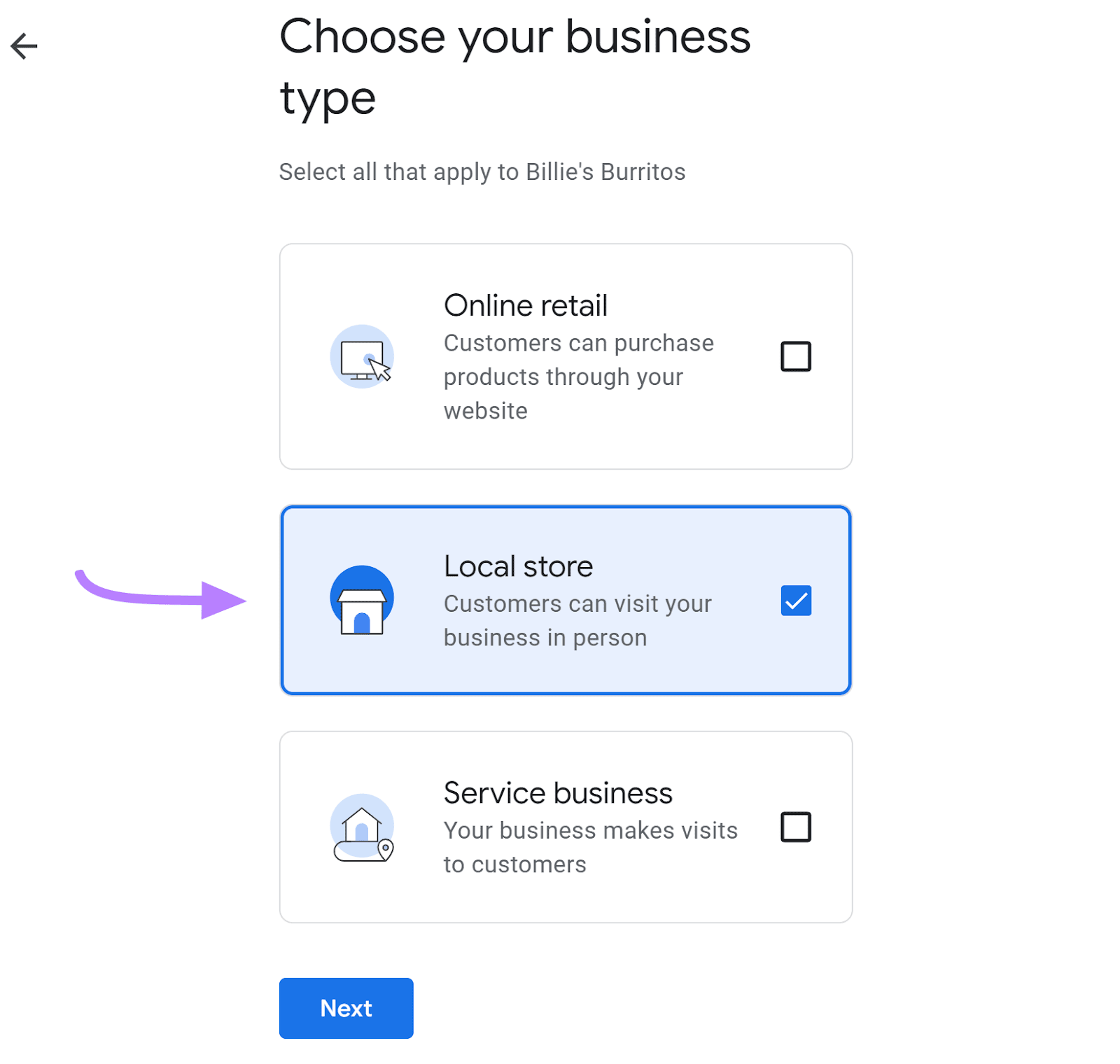
First, enter your business name. And choose what type of business you run.
Then, enter your business category.
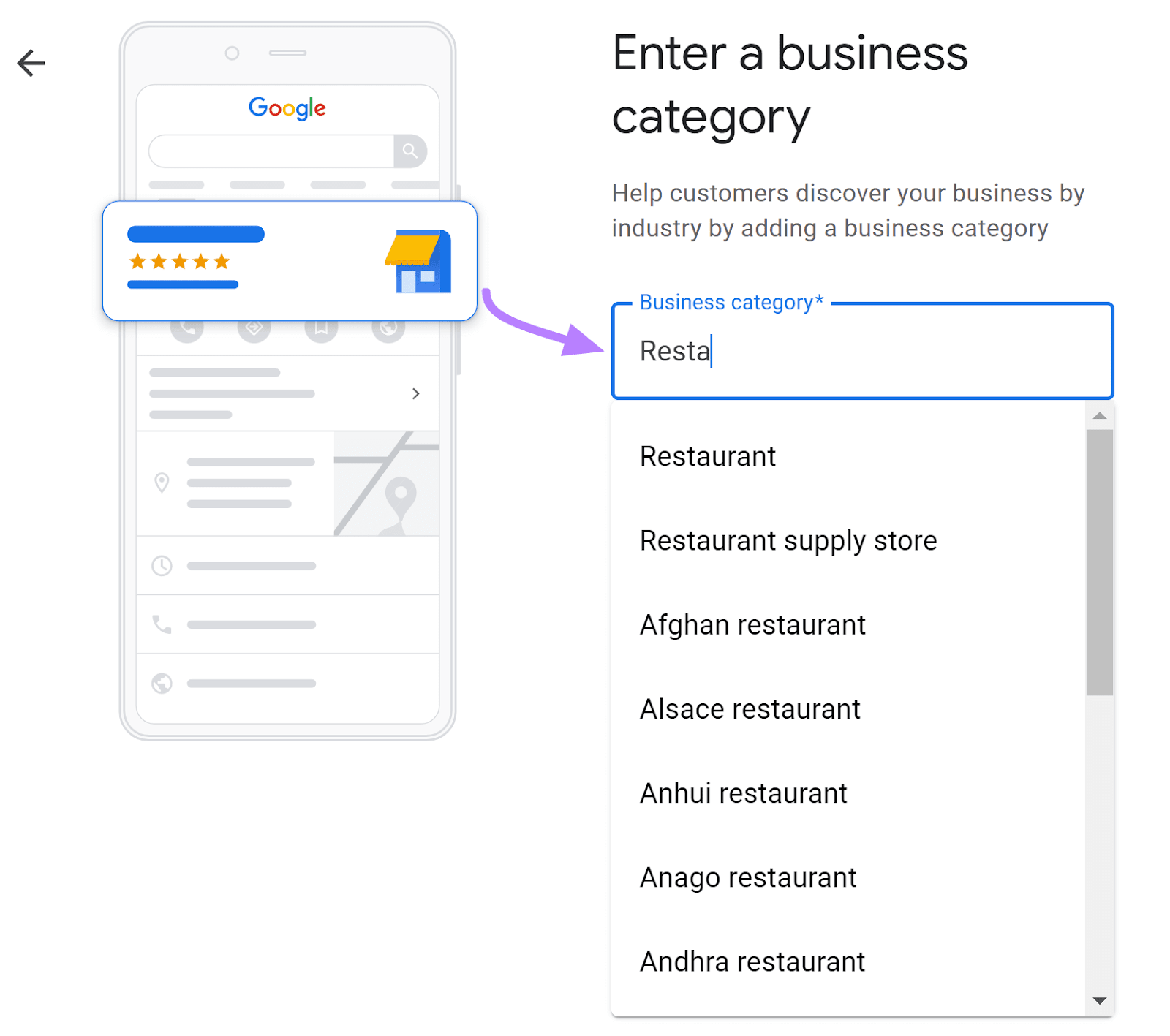
Specifying your business category tells Google what type of business you run. So it can match you with relevant search queries.
For example, if someone searches “sushi restaurant” near you, your business is more likely to appear in the results if that’s your listed business category.
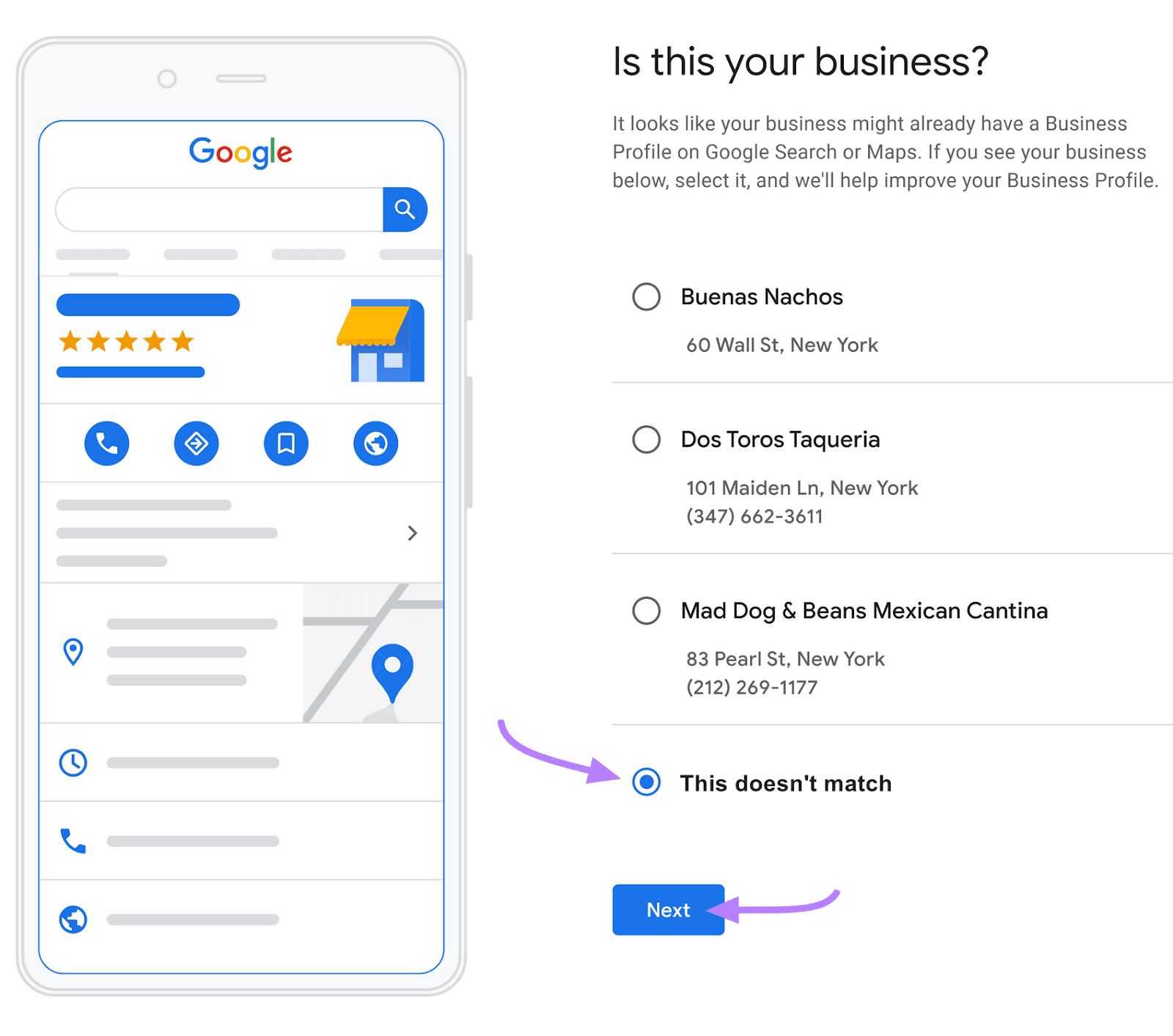
Once you follow the prompts to enter your address, Google may present a list of businesses that potentially match your address. If one of them is yours, exit the process and follow the steps to claim your business instead.
If your business isn’t listed, select the circle next to “This doesn’t match” and continue.
Now, enter your contact details and opt into notifications if you wish.
Finally, select a way to verify your business.
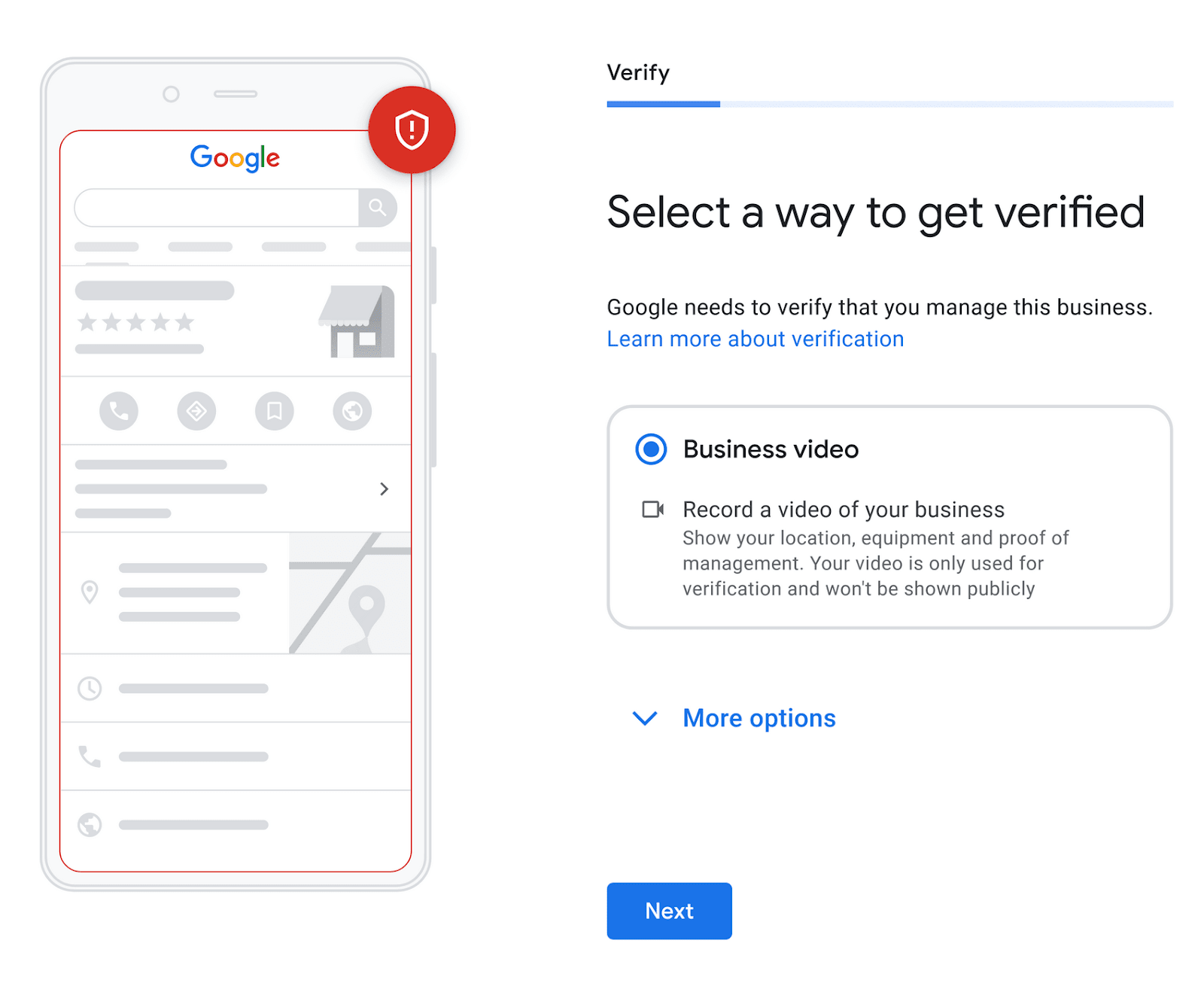
Congratulations, now you have a Google Business Profile!
But that’s just the first step toward ranking in the Google local pack.
You can use numerous other local SEO tactics to rank higher with Google’s local search algorithm.
We’ll cover those next.
Target Local Keywords
Local keywords are keywords specific to the area you operate in or serve. So, they can be highly effective for gaining local website and foot traffic.
They’re usually a combination of a regular keyword (something related to your industry) and a location. And sometimes have a modifier like “best” or “top.”
Use our free keyword tool to uncover relevant terms for your industry and area.
Just enter a keyword that encompasses both your niche and your location (state, city, neighborhood, etc.). And click “Search.”
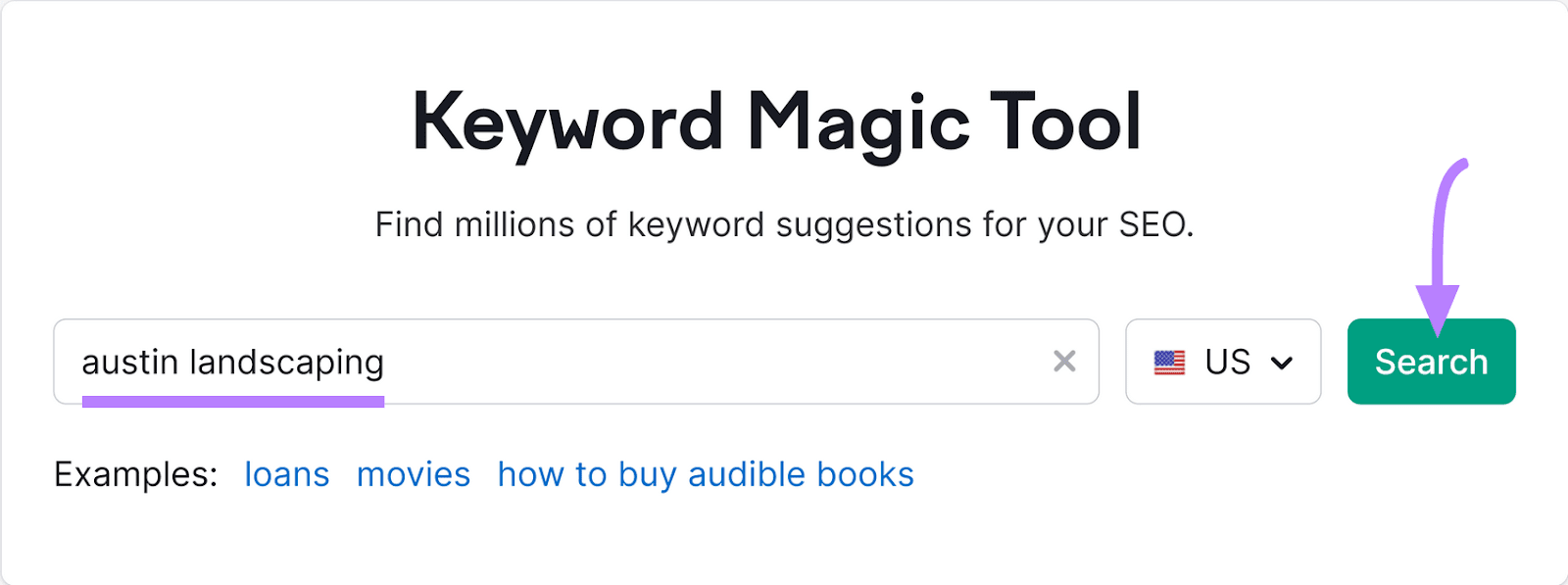
This will generate a list of similar keywords, sorted by their average monthly search volumes—which is the average number of times the term is searched each month.

Review this list to find options that are particularly relevant to your business.
Then, create blog posts, landing pages, and other types of content that incorporate these terms.
Get NAP Citations on Directories and Social Media
You can add name, address, and phone number (NAP) citations to many social media profiles and business directories.
Here’s an example of a NAP citation on Yelp:
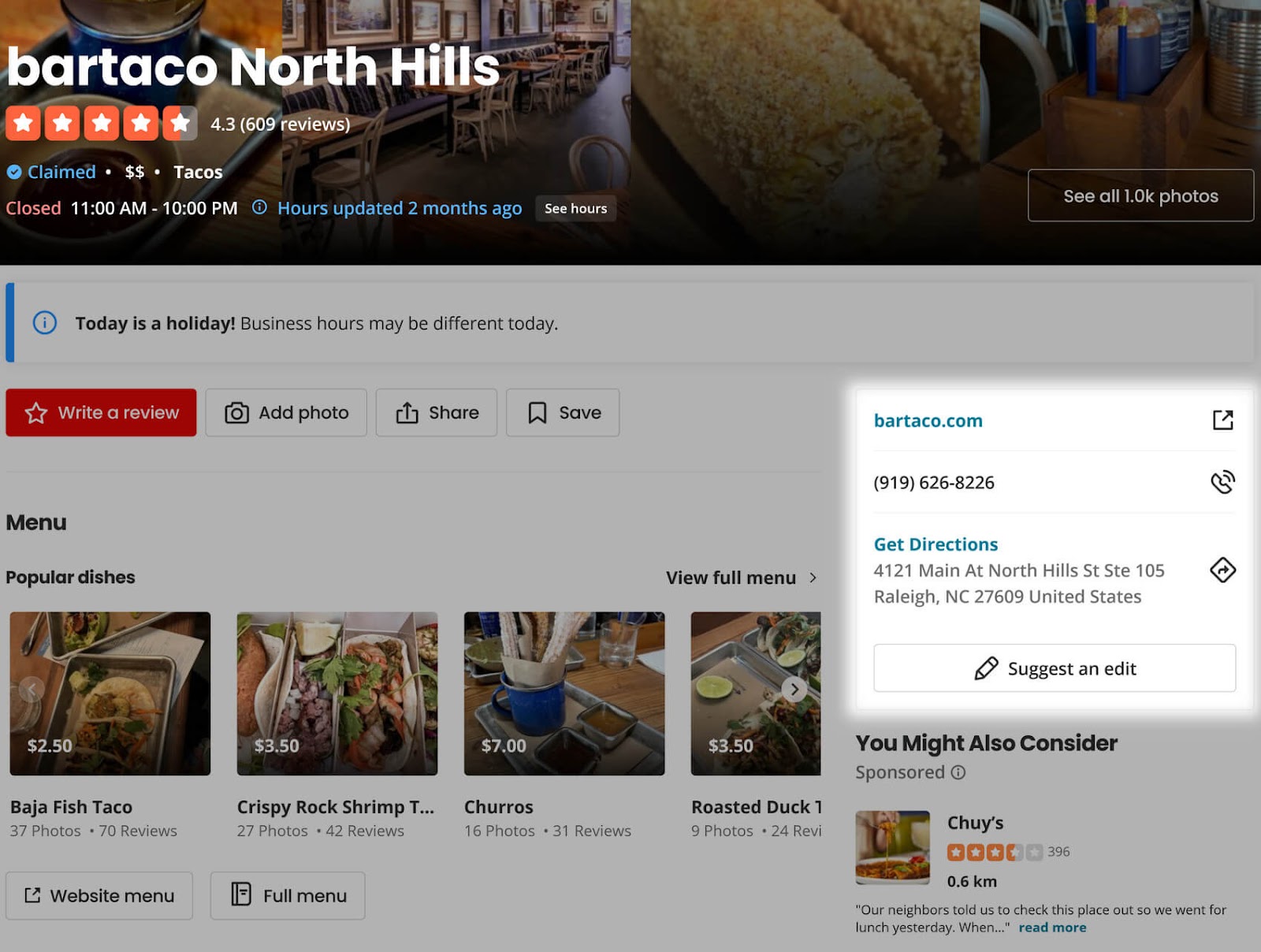
These citations are important for local SEO. Because Google often uses them to verify your basic business information.
To find out where you’re cited online, use the Listing Management tool.
First, search your business and choose the one that matches your name and address.
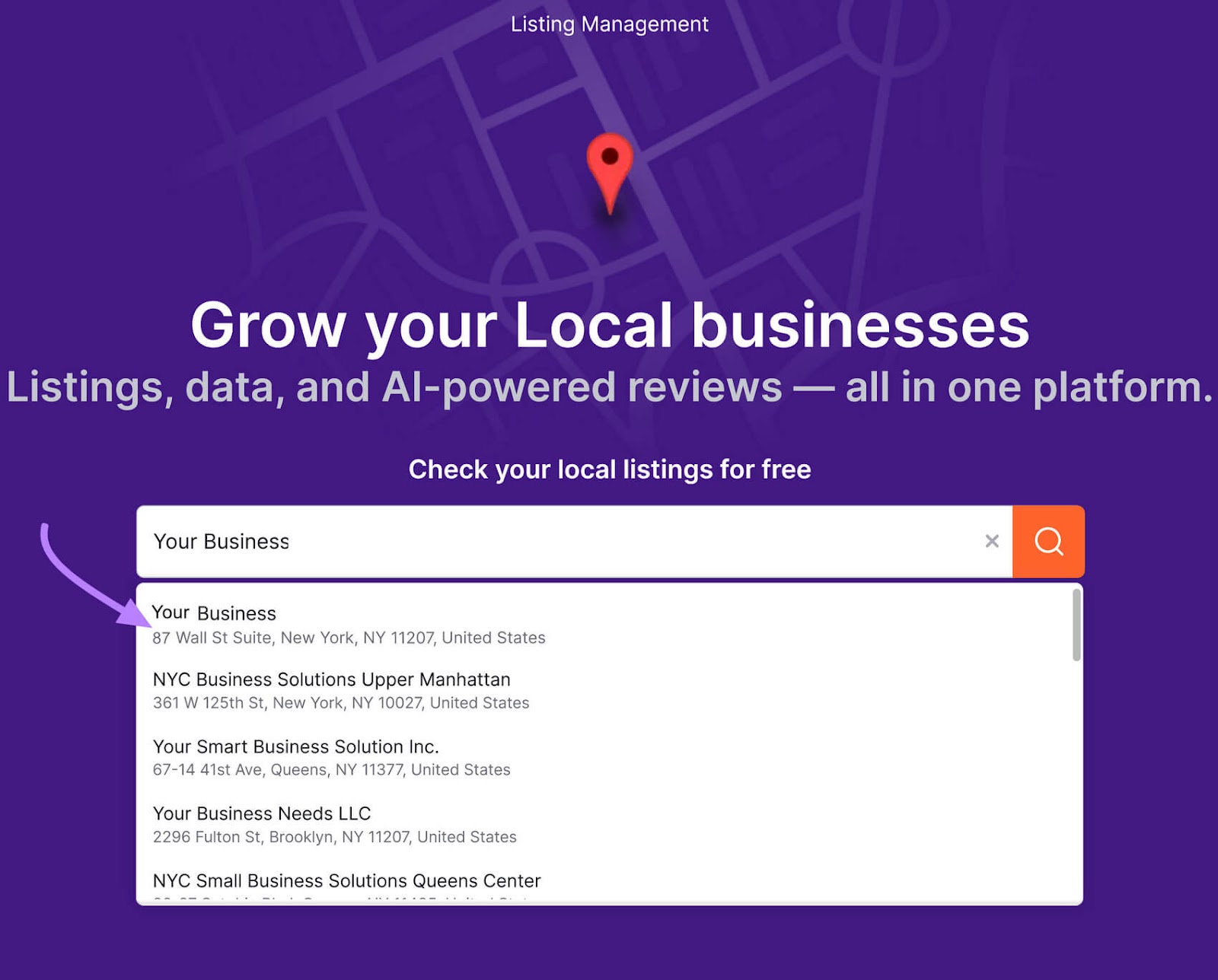
This will generate a report of your business’s local visibility. Including where you’re listed. And where you’re not.
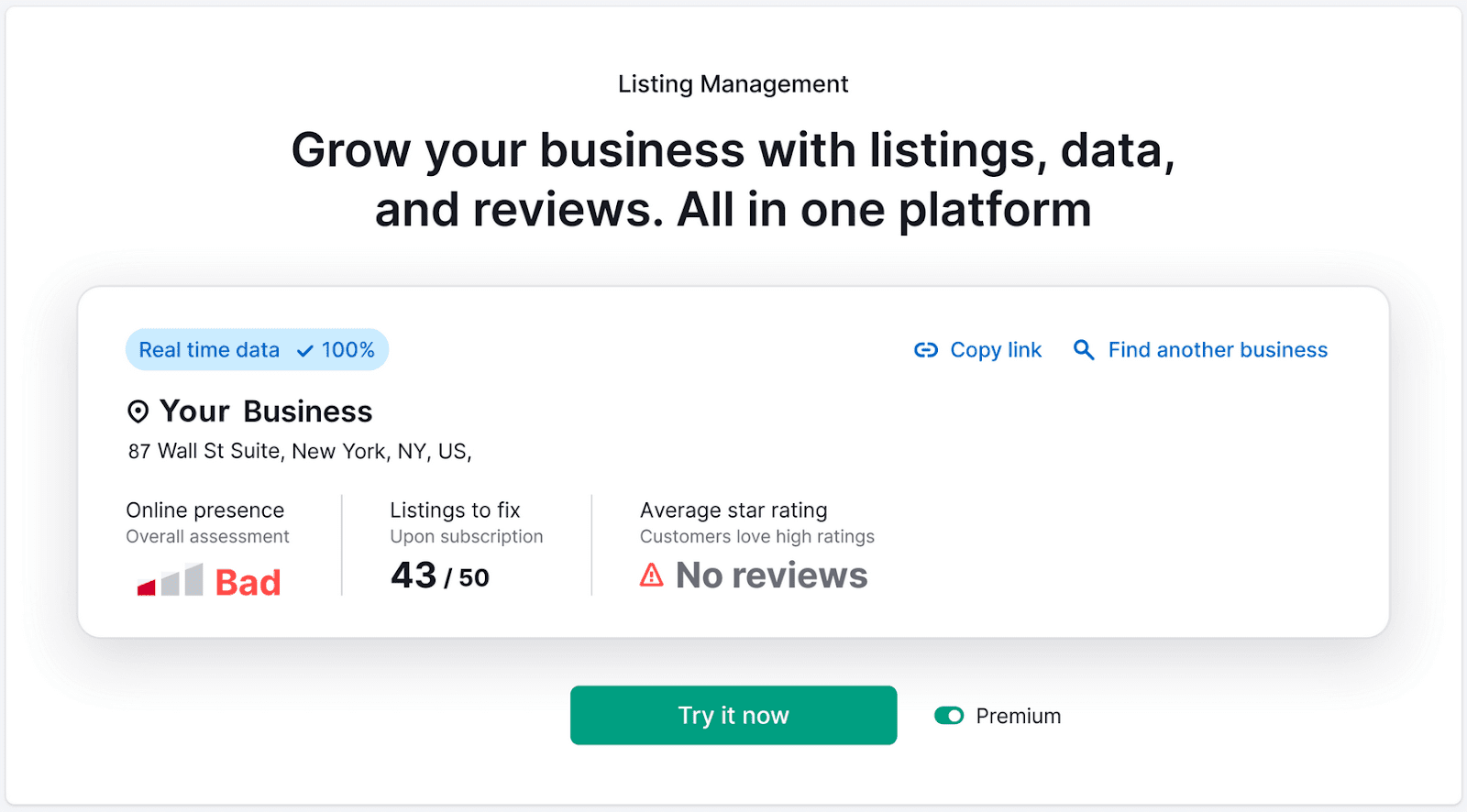
Scroll down, and you’ll see ways your visibility can be improved. Like by updating your business details or contact information.
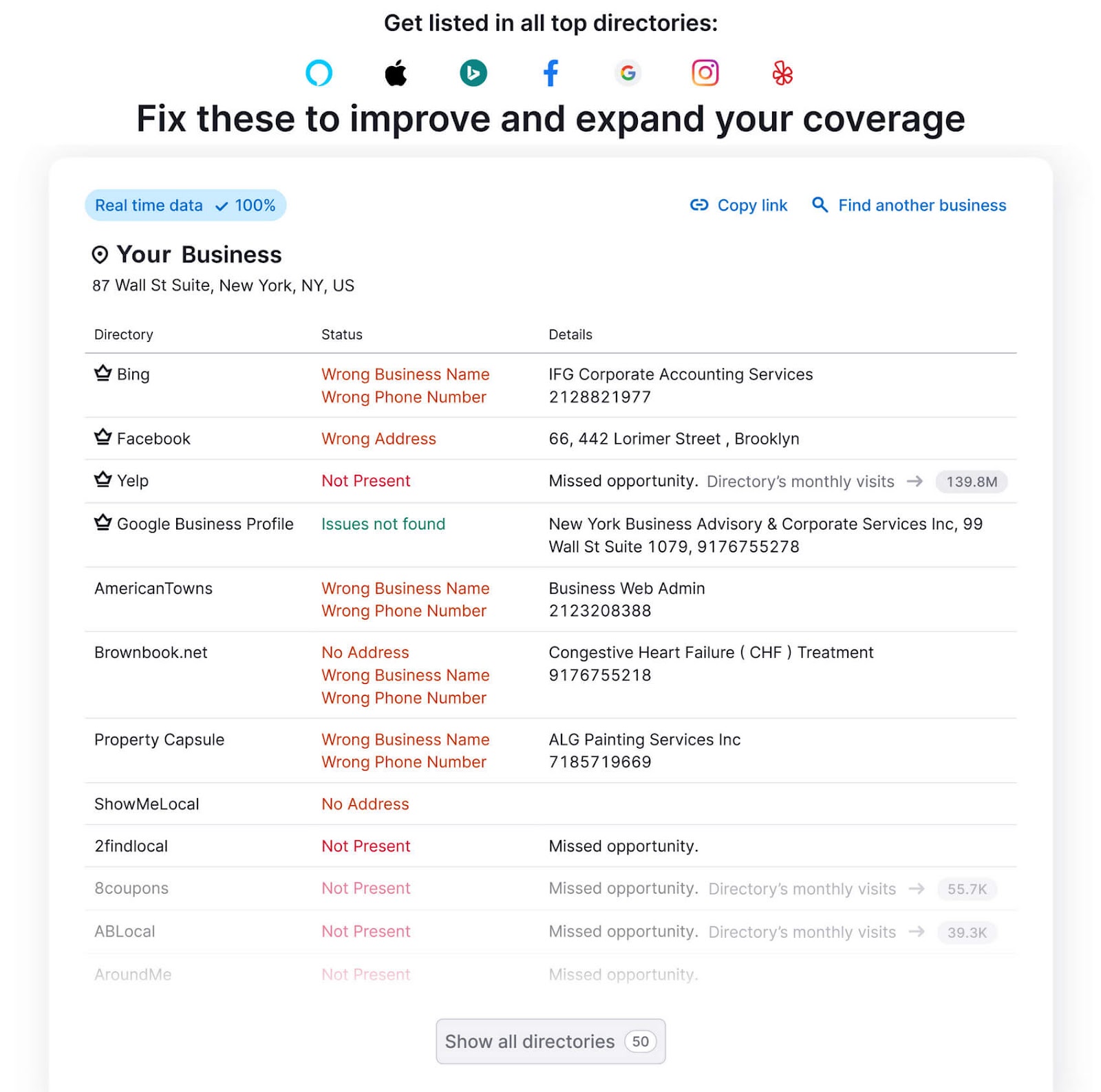
You can manually update or add your business information to each directory. Or use the Listing Management tool to automatically update your information across major online platforms.
Build Backlinks from Other Local Businesses
Link building is the process of getting links to your website from other sites.
These links help you build authority with Google. Especially when the links are from websites relevant to your industry and community.
There are tons of ways to earn backlinks. For example, you can create linkable resources (like how-to guides, instructional videos, and infographics). Or ask other sites in your niche to link to that content.
Not only can these links affect how Google views your site, but they can also help you get discovered by local audiences.
Further reading: How to Get Backlinks: 10 Strategies That Work
Encourage and Respond to Reviews
Reviews play a huge role in how both search engines and people view your business. And the best way to get more is to ask for reviews.
Here are some tips for asking customers to leave your reviews:
- Request feedback immediately after the customer has made a purchase or once you’ve completed a service
- If the customer doesn’t seem happy, try to amend the problem directly to prevent negative reviews and save their experience with your business
- Be appreciative. For example, thank them for choosing your business when you make a review request. Then, send them a follow-up message after they’ve left a review.
- Customize the request using the customer’s name and details of their purchase
- Make it easy by providing a Google Reviews link
But the work doesn’t stop once you’ve encouraged a customer to share their feedback. You also need to monitor and respond to reviews to improve the customer experience.
To easily manage reviews, go to Semrush’s Review Management tool and search for your business.
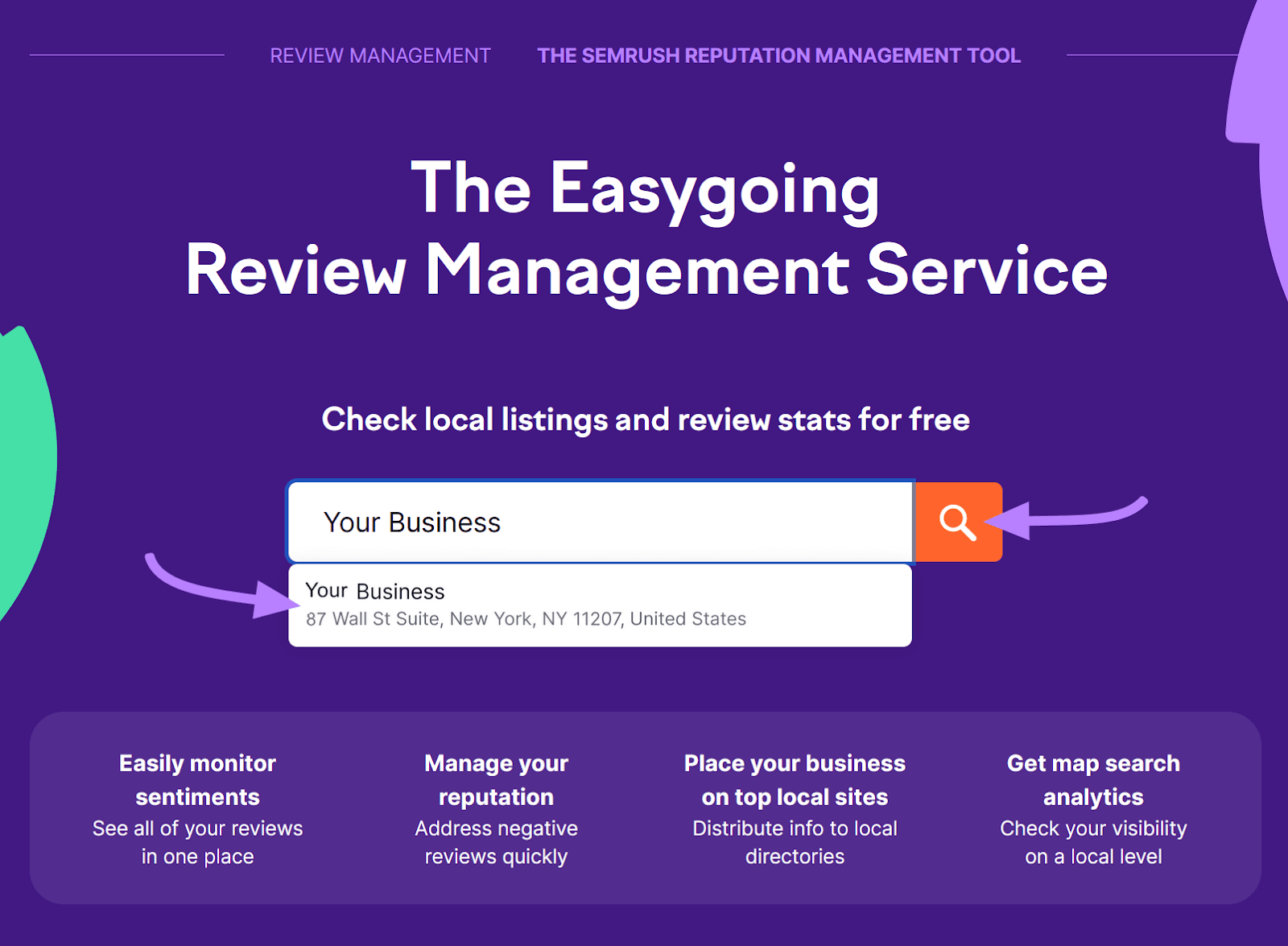
Once the report is ready, you can see real-time data on your business’s average star rating and number of reviews.
Next, select “Manage reviews now” to sign up for a plan that gives you access to Semrush Local.
From there, go to the “Review Management” tab and scroll down to see individual reviews.

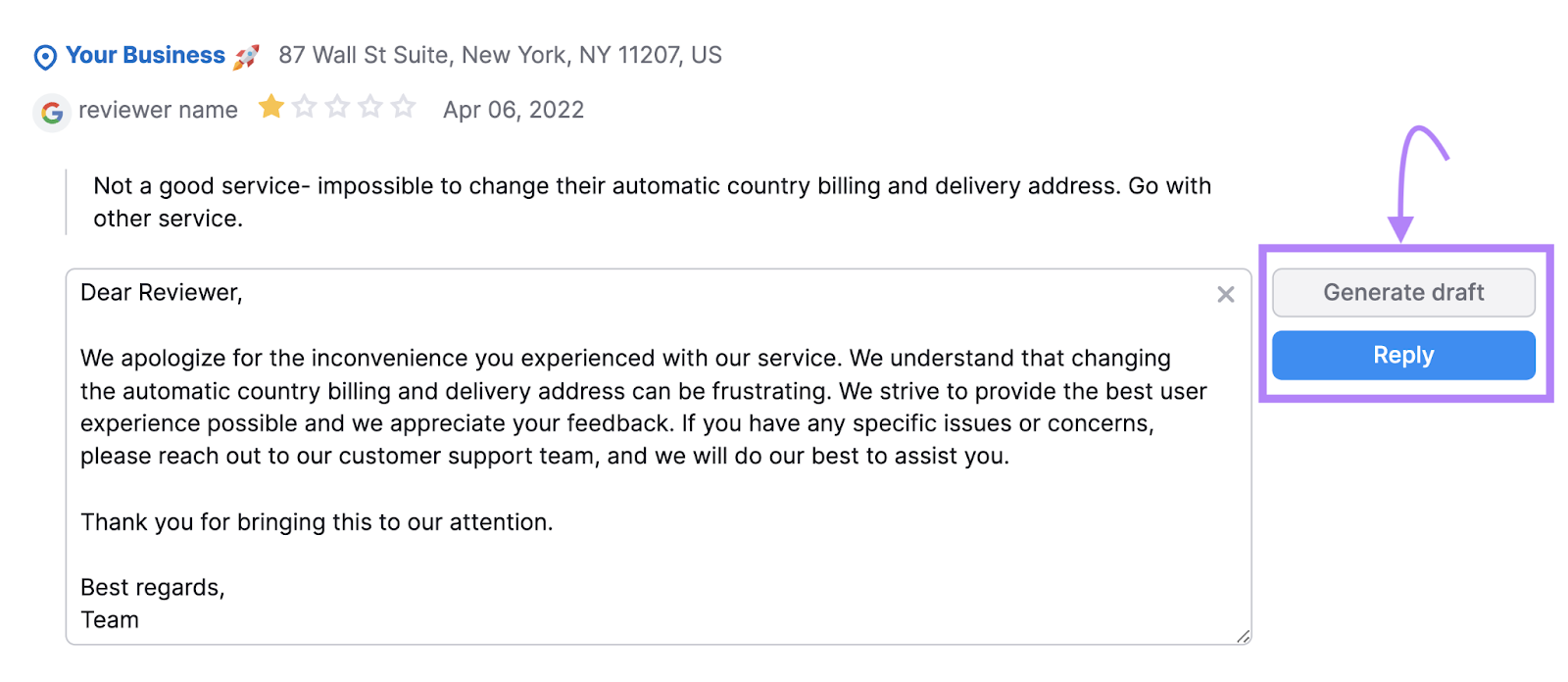
You can respond to a Google review directly in the tool.
To craft your own response, click “Reply” next to the review. Or, click “Generate draft” for an AI-generated response.
You’ll get progress reports from Review Management on how your online reputation stacks up against competitors. And suggestions for improving your reputation.
Monitor Your Local SEO Performance
Tracking your performance for local keyword rankings and local pack appearances is the best way to see what’s working and what can be improved.
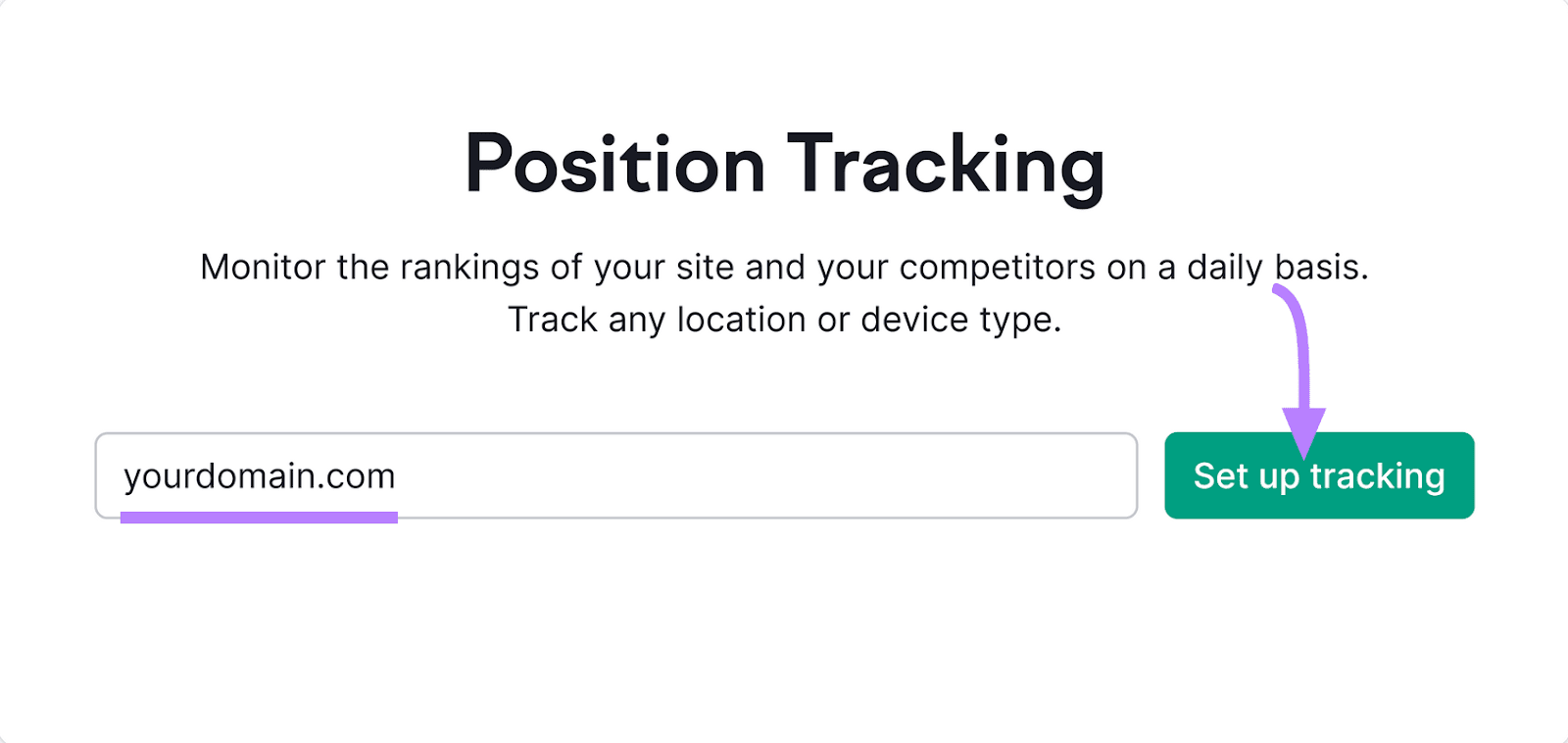
Start by opening the Position Tracking tool.
Enter your domain and click “Set up tracking.”
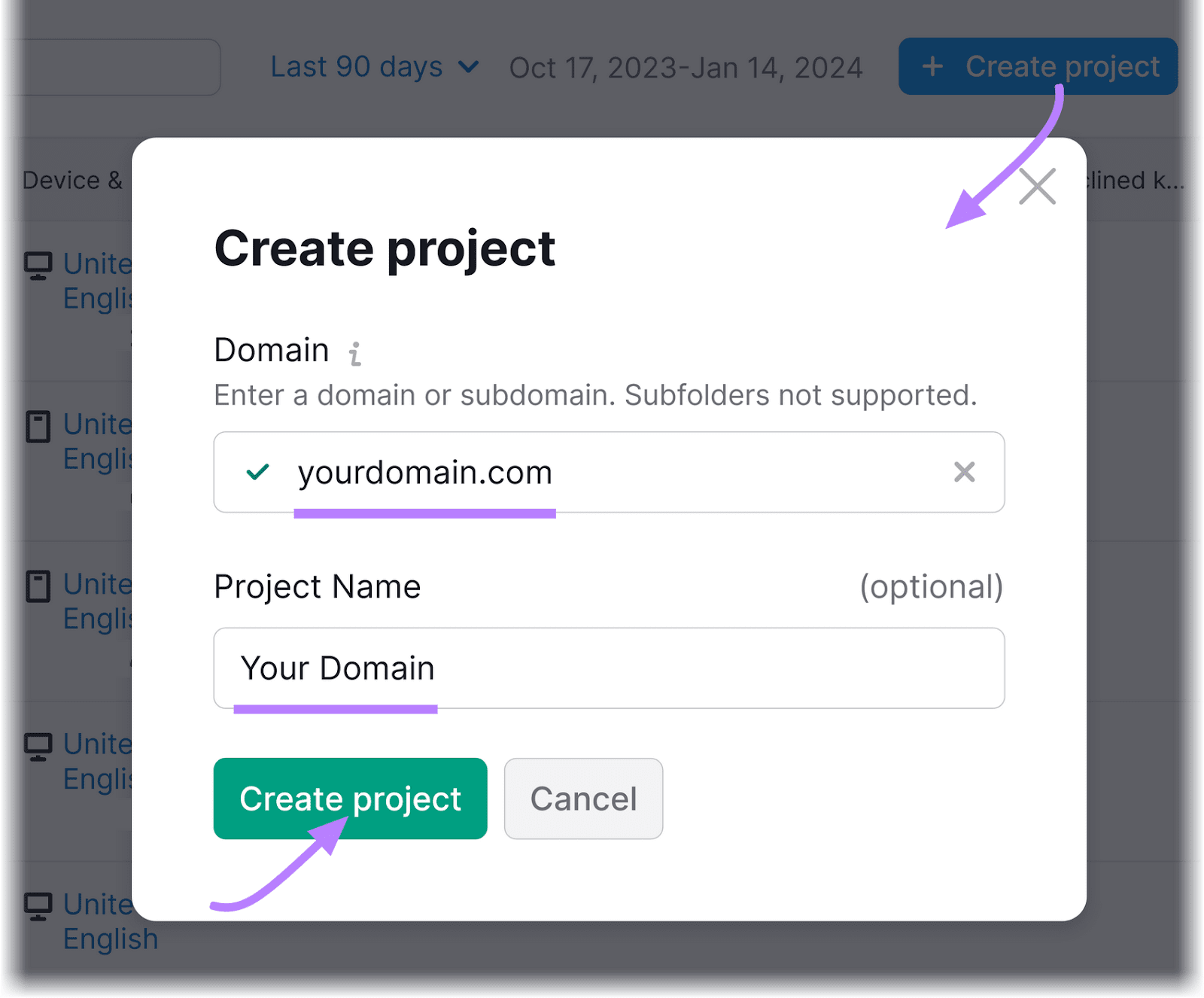
Name your project if you wish and click “Create project.”
Now, configure your settings. And when you’re done, click “Continue To Keywords.”

You can manually enter the keywords you want to track or import them from a TXT file, a CSV file, Google Analytics, or another campaign. Or, import a list of Semrush-suggested keywords.
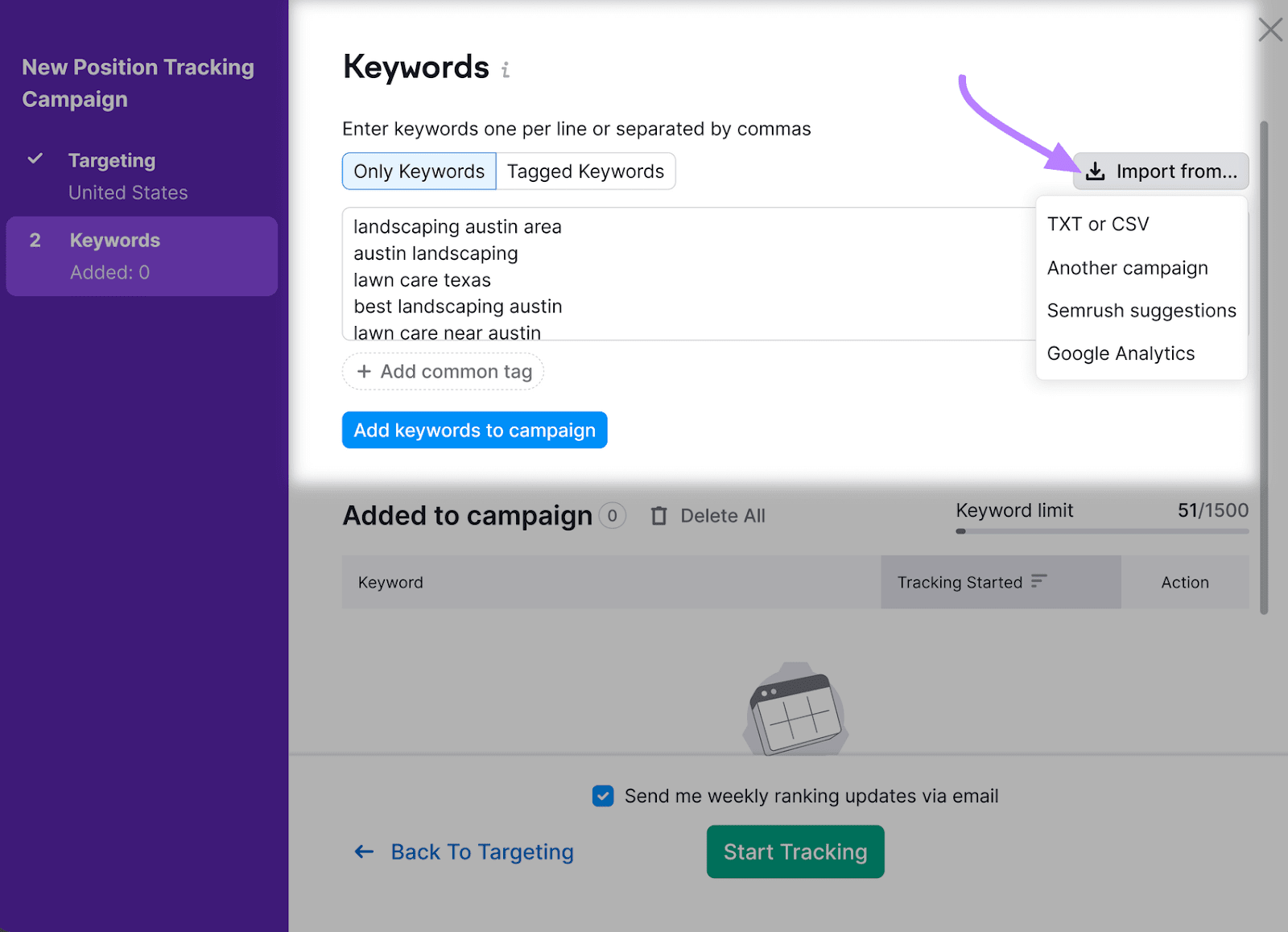
When you’re done, click “Start Tracking.”

Once your report is generated, scroll down to “SERP Features.”
Find the map pin icon labeled “Local pack” and click it.

This will show an overview of your average rankings for the local keywords you’re targeting. And whether you appear in Google’s local pack for them.
Use these reports to keep your finger on the pulse of your local SEO efforts.
Then, make adjustments over time to achieve better results.
Improve Your Local Visibility
As you’re devising your Google local pack strategy, remember to focus on the user experience.
When in doubt, think about what you want to see when looking for a local business. Chances are, your customers want the same things.
Using Review Management makes it easy to put customers first. Get started today.